
Markdown & Diagrams for Confluence
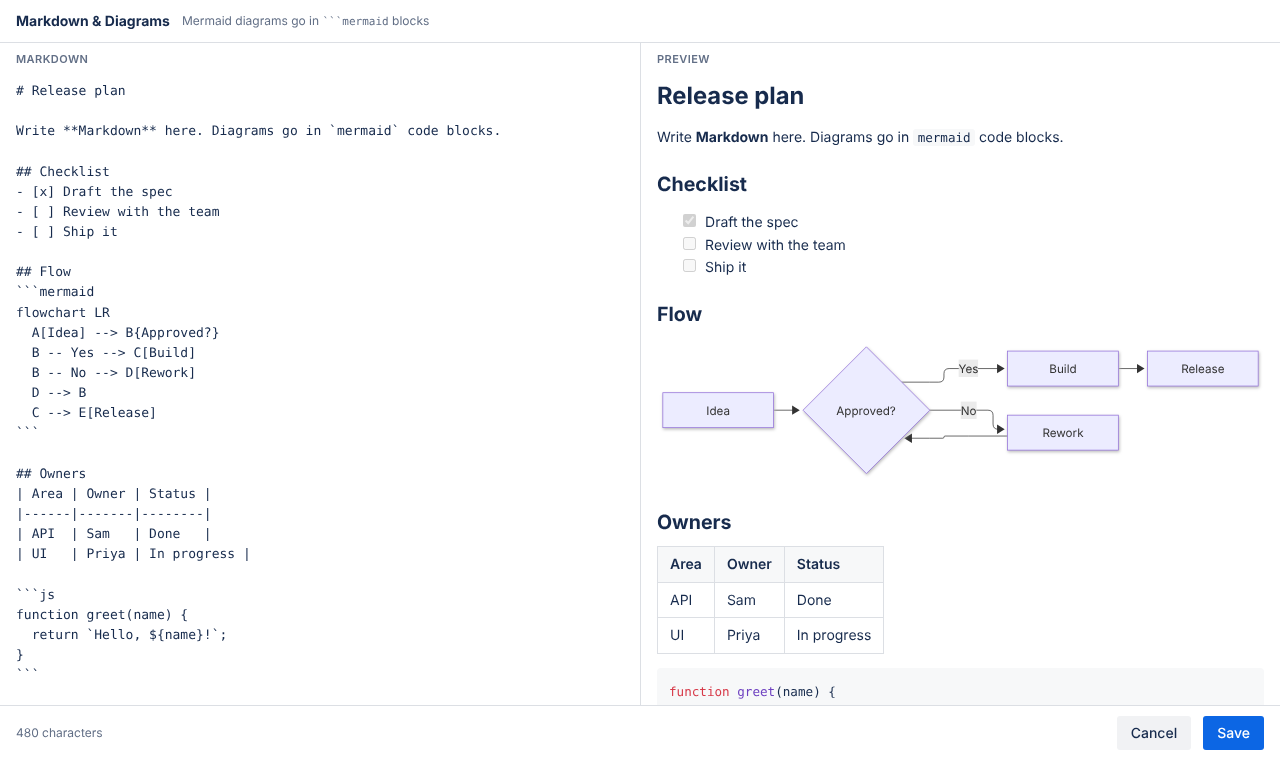
Write Markdown and Mermaid diagrams in Confluence Cloud, with a live side-by-side preview. Everything renders inside Atlassian; nothing leaves your site.
Getting started
- Edit a Confluence page and type
/markdown. - Choose Markdown & Diagrams. The editor opens with an example.
- Write on the left, check the preview on the right, and click Save (or press
Ctrl/⌘ + S). - Publish the page. To change it later, edit the page and click the macro's edit (pencil) button.
What you can write
- Headings, bold, italics, links, lists, quotes and horizontal rules
- Tables and GitHub-style task lists (
- [ ]and- [x]) - Code blocks with syntax highlighting, e.g.
```js - Mermaid diagrams in
```mermaidblocks: flowcharts, sequence, class, state, ER, Gantt, pie and more
```mermaid
sequenceDiagram
  Alice->>Bob: Ready to ship?
  Bob-->>Alice: After review
```
Good to know
- Privacy: the app has no server and makes no network requests. Your Markdown is stored in the macro on your Confluence page.
- Raw HTML inside Markdown is ignored, for safety.
- Light and dark mode follow your Confluence theme.
- PlantUML is not supported, because rendering it needs an external server. Most diagram types are available in Mermaid.
- PDF and Word export do not yet include the macro's content.